
Access Deleted Web Pages with the Google Cache and the Internet Archive
Has this situation ever happened to you? You enter search keywords in Google for a very specific topic. In the resulting screen, you see the title of that perfect article with exactly what you were seeking. Hopeful, you click the link and receive a 404-error message saying that the page does not exist. This scenario sadly happens to everyone countless times. Fortunately, there are two ways to view these once accessible pages.
Google Cache
One of the features that set Google apart from other search engines is the Google Cache. As the Googlebot indexes web pages into the central database, it also saves the HTML portion. The HTML portion is basically the text and layout without the pictures. When searching in Google, you've probably noticed the "Cached" link.

If you haven't tried clicking on that link, visit it. You will be directed to the saved version of that specific web page when the Googlebot last cached it. This is the first method to try when you can't download the actual page.
Google Cache Hacks
Some people like to "hack" the Google cache to display any page from the past. This is relatively easy to do if you look at the URL of a Google cached page. This is the URL of my website's cache:
-
http://64.233.187.104/search?q=cache:jQJ-k3RK1wMJ:www.hackernotcracker.com
-
/+hacker+not+cracker&hl=en&ct=clnk&cd=1
It’s pretty easy to decipher the URL. The "64.233.187.104" is just the IP address for "google.com." The "search?" means that it is passing some commands to the search application. The "q" is the variable for query, or request. The "cache" tells the search application that it is looking for the cached version of the web page. The rest of the text after "cache" is the URL of the original page in a strange encoded format.
If we take the information from the original URL above, we can make our own customized URL for any page. Use this:
http://www.google.com/search?q=cache:URL
Just replace "URL" with the URL of the page that you want to view in its cached version. You can even create your own Google Cache Generator like this:
Enter the URL of the Page that You Want to See Cached:
-
"cache_example_form""javascript:window.location='http://www.google.com/search?q=cache:' + document.getElementById('cache_example').value""get"
-
"text""cache_example""cache_example" "submit""Cache It!"
Though most pages are cached, it is pretty impossible for all pages on the Internet to be included. Google only saves the pages that it crawls. If a page is not in the Google search, it will not be in the Google cache.
The Internet Archive
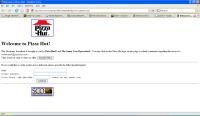
An alternative to the Google Cache is The Internet Archive. The Internet Archive is a more extensive database of old web pages. With the Google Cache, newer ones overwrite older pages. However with The Internet Archive, the crawler keeps every page that it archives. Sometimes it even retains the pictures and content. The only drawback is that the crawler archives fewer pages than the Google Cache does. The Googlebot saves many pages while the Internet Archive generally saves the main pages of noteworthy websites. Take a look at the websites from blue-chip companies today. It's interesting to see the evolution of each one. Look at the first Pizza Hut homepage as compared to the one today. From 1996, it's pretty scary!

 View Comments from Other Readers
 Subscribe by RSS Feed
 Bookmark this on Delicious
 Stumble it!
 Furl This!
 Reddit!
April 27th, 2007 at 7:44 am
This is like ANCIENT news...
And you do not mention that it may not work always...
September 11th, 2007 at 8:13 am
This may well be old news, but I didn't know how to just request a specific page and that little form script is genius - thanks!
January 16th, 2009 at 4:58 pm
What can you do if a web page is using robots.txt to prevent you from accessing an archived web page? Particularly in terms of a deleted youtube video?
February 3rd, 2010 at 2:25 am
I need help with the Cache.
I can not access it any more, google thinks I am a spammer.
I tried to recover files from a friend who shut down his server and all my fiels are lost. So I started off with the first 20 or so cached text files all right, and then boofff suddenly ... access denied, even if I enter the code letters to identify me as a human.
What can I do go get back to the files from this pages?
http://74.125.153.132/search?q=cache:http://www.amie.or.jp/daruma/daruma-new1.html
Gabi
February 3rd, 2010 at 10:00 pm
I've never heard of that Gabi. But I suspect Google has an internal policy to flag anybody as a webcrawler if he/she accesses more than 20 cached pages. My suggestion is to clear your cookies, change your IP address (if your ISP allows), and try again.
December 13th, 2010 at 2:11 am
please tell me how can i access my documents of year 2009 on the wayback machine as it is accepting years only till year 2005
January 31st, 2014 at 6:14 am
Try http://viewcached.com to also use yahoo, Bing, WebCite, Gigalbast, Coral CDN, etc.
February 22nd, 2014 at 9:10 am
Great post. I was checking constanmtly this blog and I amm inspired!
Extremely useful information specifically the closing section
🙂 I care for such information much. I used to be seeking this parfticular injfo
for a very lengbthy time. Thanks and good luck.
Here is my webpage Girls Wait
March 7th, 2014 at 4:15 pm
I have to thank youu foor the efforts you have put in writing this site.
I really hope to view tthe same high-grade content from
you later on ass well. In truth, your creative writing
abilities has motivated me to gget my very own site now 😉
Review my site; zumba instructor certification price